







Excellent computer and accessories Ltd

Copyright © 2024
ARTICLES
Reasons To Rent A Computer
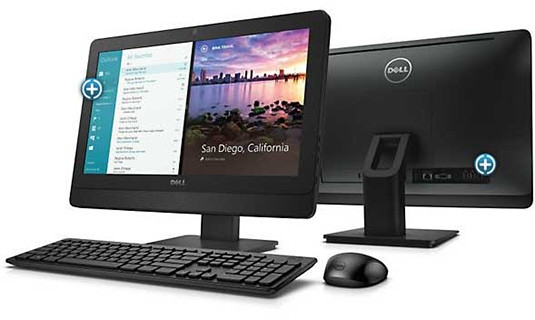
When it comes to reasons for renting computers, most people immediately think about conferences, training, and other temporary events. However, there are many more reasons why renting computer equipment can be both beneficial and cost-saving. We at Excellent Computers & Accessories rent Desktop & Laptop computers, monitors, laser and multi-function printers as well as projectors and projector screens.
Do one of the reasons below apply to your business? Give us a call today to discuss your options!
Long-Term Cost & Tax Savings
You may think that it is best to buy a computer, use it and recover some cost at the end of its life by selling it. In reality, technology advances so quickly that your computer will quickly lose its value as the years go by. A long-term lease allows you to claim the entire cost of leasing against your tax returns saving you money while you continue to have your machines upgraded for free to current specifications during the rental period.
Flexibility
Renting means you can swap a desktop for a laptop as needed or increase/decrease your computer complement when it is beneficial to do so.
Stability and Budgeting
Computers can be a significant investment with high upfront costs. Renting allows you to have a known fee to pay at regular intervals without having to consider breakdowns or machines sitting unused if business needs change. You can easily increase or reduce your computer-related expenses as business picks up or slows down.
Does Dell recommend the use of a non-Dell replacement battery?
Dell recommends that you replace your battery with a genuine Dell battery obtained from Dell. When using a genuine Dell battery, you can be assured that you have a battery that has been designed, qualified, and manufactured to strict Dell quality standards. For safety and performance always use a genuine Dell battery purchased from Dell. Dell does not evaluate the design or check the quality of non-Dell replacement battery packs. The quality and safety is unknown when using such batteries.
Does Dell recommend the use of a non-Dell replacement battery?
Dell recommends that you replace your battery with a genuine Dell battery obtained from Dell. When using a genuine Dell battery, you can be assured that you have a battery that has been designed, qualified, and manufactured to strict Dell quality standards. For safety and performance always use a genuine Dell battery purchased from Dell. Dell does not evaluate the design or check the quality of non-Dell replacement battery packs. The quality and safety is unknown when using such batteries.
Is it easy to install a battery?
Yes, very easy. First, make sure all open files are saved. Next, either attach the AC adapter directly to the laptop or set the system to “hibernate” mode or shut off. Release the latch on the current battery, and simply install the replacement battery.
Here at Excellent Computers, we carry 100% Genuine batteries directly from Dell and stock batteries for popular notebooks such as the Latitudes & Inspiron lines. Contact us today to find out if we have your battery in stock, or to place an order.

Being infected can cost you or your company millions of dollars in retroactive solutions, not to mention the downtime and breach of information privacy.
How To Stay Secure
It is very important that you keep your antivirus subscription valid so you can receive the timely updates against the newest and latest threats. Antivirus software such as Symantec Internet Security for home users, or Symantec Antivirus Corporate Edition for companies with multiple machines, play an important role in preventing infection.
Being infected can cost you or your company millions of dollars in retroactive solutions, not to mention the downtime and breach of information privacy.
How To Stay Secure
It is very important that you keep your antivirus subscription valid so you can receive the timely updates against the newest and latest threats. Antivirus software such as Symantec Internet Security for home users, or Symantec Antivirus Corporate Edition for companies with multiple machines, play an important role in preventing infection.
Being infected can cost you or your company millions of dollars in retroactive solutions, not to mention the downtime and breach of information privacy.
How To Stay Secure
It is very important that you keep your antivirus subscription valid so you can receive the timely updates against the newest and latest threats. Antivirus software such as Symantec Internet Security for home users, or Symantec Antivirus Corporate Edition for companies with multiple machines, play an important role in preventing infection.
As a user, you must also be vigilant and careful not to open suspicious emails, click on dangerous links or download software from untrusted sources.
Are you protected?
Call us today at Excellent Computers & Accessories and we can review your current solution ensure you are well protected.
Published: Dec 20, 2024
Latest Revision: Dec 20, 2024
Ourboox Unique Identifier: OB-1635514
Copyright © 2024

 Skip to content